fotografi
LinkedIn image sizes 2026
These are the image sizes LinkedIn uses right now. I checked them on 6 September 2026. All sizes are width × height.
| Where will the image be used? | Size |
|---|---|
| Profile photo | At least 400 × 400 px |
| Personal cover | 1584 × 396 px |
| Company logo | 400 × 400 px |
| Company banner | 1512 × 256 px |
| Square post | 1080 × 1080 px |
| Portrait post | 1080 × 1350 px |
| Shared link image | 1200 × 627 px |
| Article cover | 1920 × 1080 px |
| Document / PDF carousel | E.g. 1080 × 1350 per page |
| Event cover | E.g. 1600 × 900 px |
Profile photo
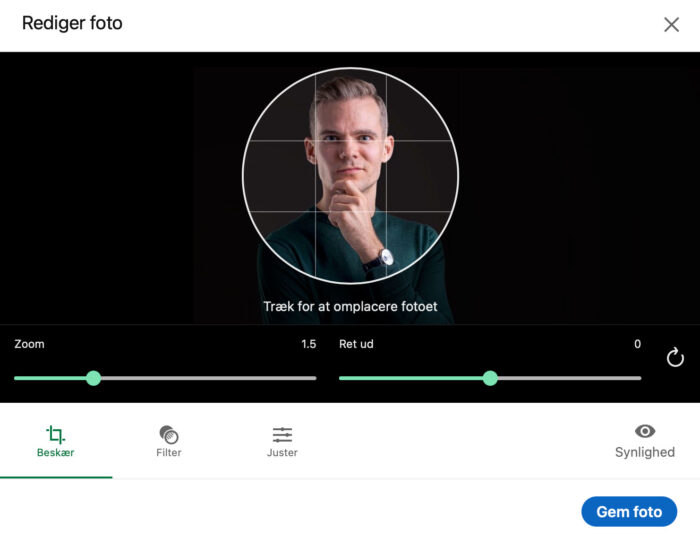
Upload at least 400 × 400 px. LinkedIn shows your photo as a circle, so keep your face in the middle with a little space around your head.
Check your photo small before you upload it. I tell all my clients this. A small smile that looks friendly in a big photo can look reserved or even a bit sour as a thumbnail. Pick a photo where the smile is a little bigger than you think you need.
Crop your photo for free
I made a small crop tool for this. It runs in your browser, nothing is uploaded, and the buttons are in Danish:
- Open my free crop tool.
- Choose your photo by clicking Vælg billede (Choose image).
- The LinkedIn Profilbillede (profile photo) format is selected by default, so the crop is already a square (1:1) that fits LinkedIn’s requirements.
- Move and zoom so your face is centred, and check the result in the circle.
- Click Download billede (Download image) to save the new photo.
You can also just upload the photo to LinkedIn and adjust it in their own crop tool. Canva and Photoshop work too, if you already use them.
Cover image
The personal cover is 1584 × 396 px. Your profile photo covers part of the lower left corner, and the edges get cut on phones. Keep text and anything important near the middle.
Need a new profile photo?
I take LinkedIn portraits in my studio on Vesterbrogade in Copenhagen. A session takes about 30 minutes, and you get the edited photo the next working day.