FAQ
Selection of images
 Dansk
Dansk English
How do I add an image to my favorites list?
Save your favorite photos and revisit them anytime using your favorites list You can share this list with your photographer, family and friends.
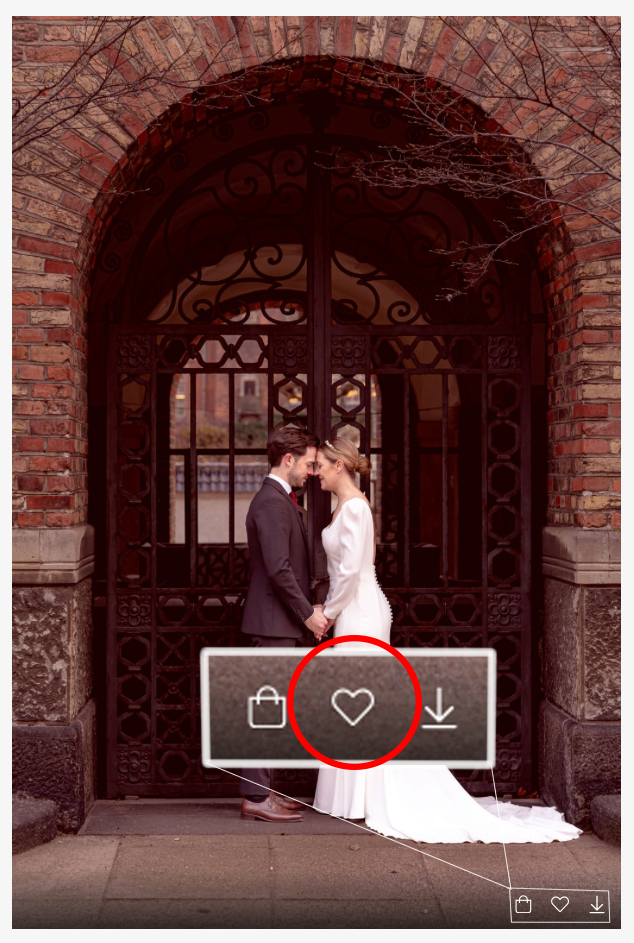
To add an image, tap the heart icon.
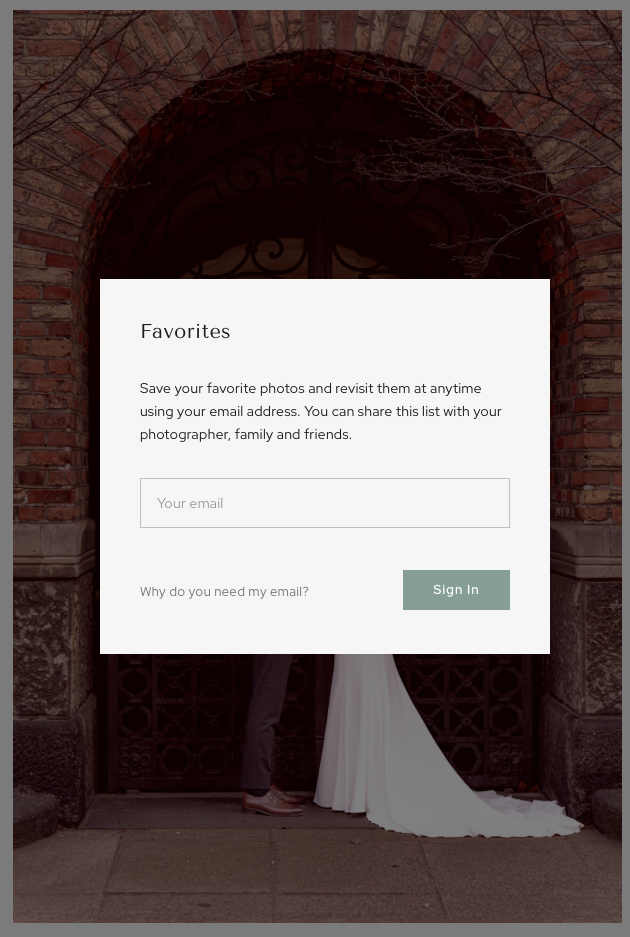
The first time you need to enter your email, as your favorites lists will be stored under your email. This means your partner/friends/family can log in and save their favorites under their own email without being confused.
How do I add a comment to an image?
You can add a comment to an image by accessing your favorites list in the menu:

Here you can see your favorite lists and go below the list where you want to add a comment.

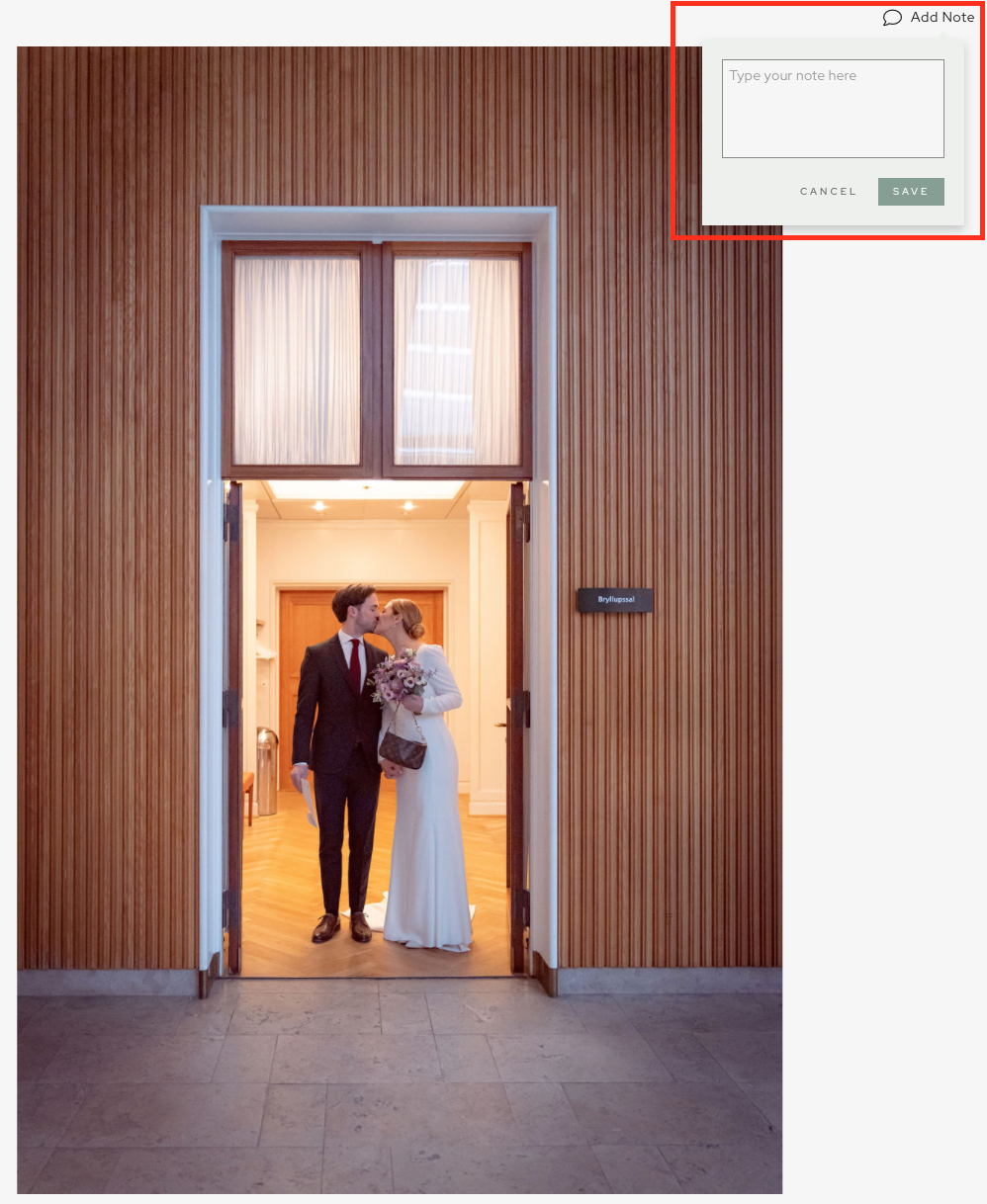
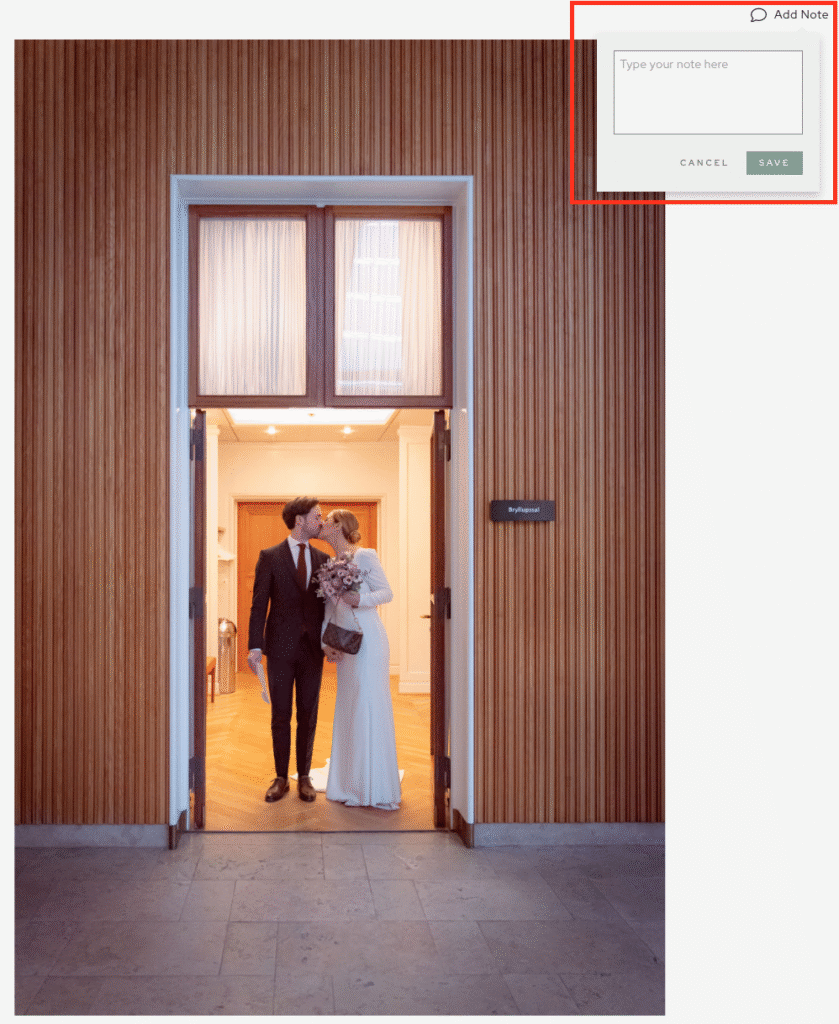
Click on the image you want to add a comment to and open it up. Then in the right-hand corner you have the option to add a note.

Once you have clicked add note, a small dialog box will appear where you can add a note to the image.
How do I create additional favorites lists
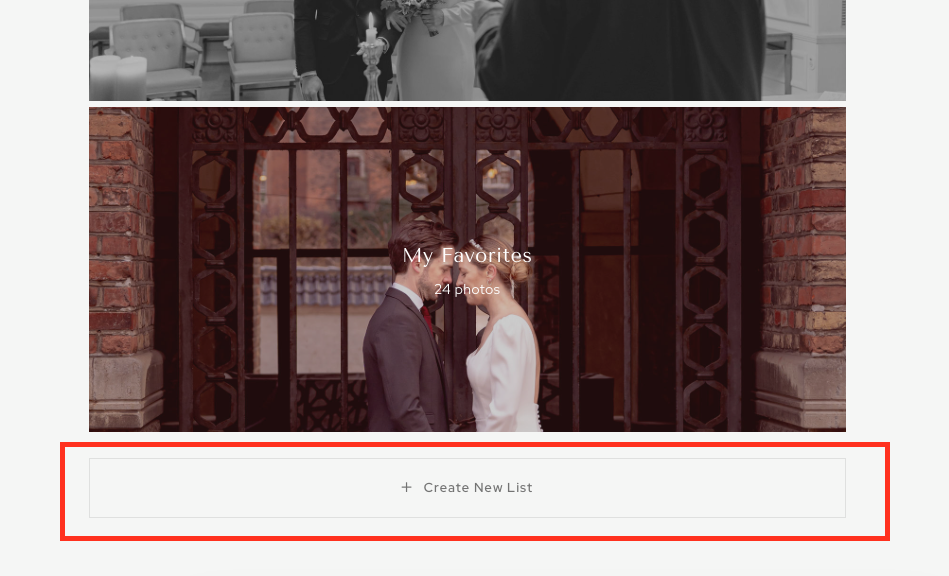
You can create different favorites lists by tapping Favorites in the menu.
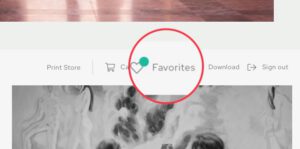
Then you can press create new list

Send the final selected images for editing/photographer
Go under Favorites (Favorites)
Select the list you want to send to me
Click share in the right corner and press send to photographer

I’m automatically notified and can see your favorites and the comments you’ve added.
(REMEMBER, this will be your final choice and you will be billed for the number of images on the list unless otherwise agreed).
Download & Print
How do I download my images?
- Select Download in the top right menu.

- Enter your email

Choose your images, if you have multiple galleries you can download them together or separately, if you can only see All Photos then choose that one.
I recommend you download them in both solutions.
ChooseHigh Resolution for print
ChooseWeb for everything on the internet / apps / posts
- Choose where to save the images

Can we order prints from you?
I work with a reputable printing company that ensures high quality and reliable service.
I will create a small webshop where your images can be ordered for printing.
Prices start at $3 per image plus shipping.
Prints are delivered via regular mail and placed in your mailbox.
Therefore, it is important that the address is correct and that the name used appears on the mailbox.
Larger formats are delivered by parcel post.
How long do we have access to our images?
I delete online gallery owners a couple of times a year. Generally, images are available between 6-12 months.
Before the images are deleted, I will send out an email warning that the gallery will be deleted so you have the opportunity to download the images again.